
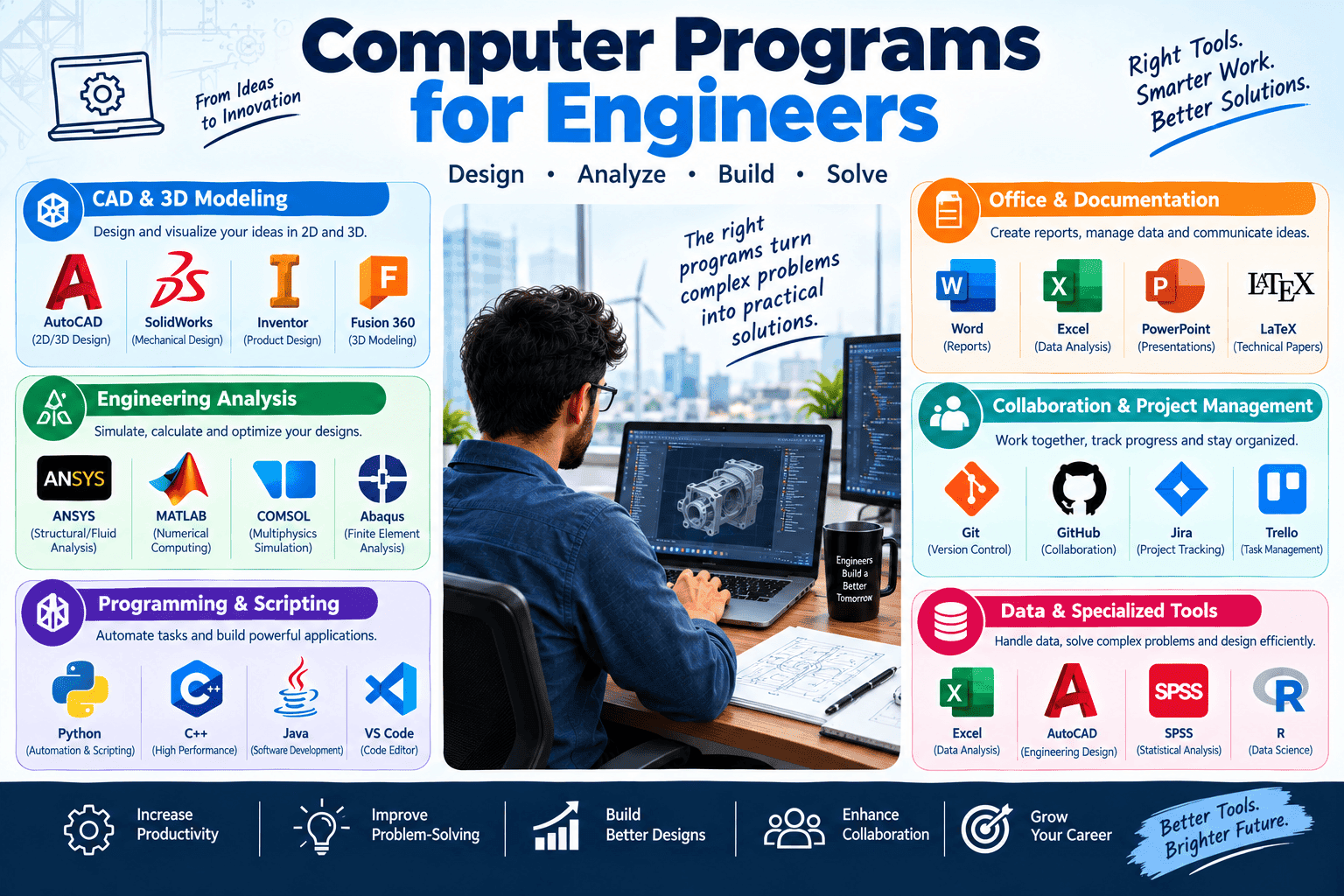
Engineering has changed significantly with the development of modern technology. Today, engineers use computers for designing products, analyzing structures, performing calculations, managing projects, creating simulations, and solving complex technical problems. The right computer programs for engineers can improve productivity, accuracy, and efficiency across many different engineering fields.
From mechanical and civil engineering to electrical, chemical, aerospace, and software engineering, specialized computer programs help professionals complete tasks that would otherwise require significant time and manual effort. These tools also allow engineers to test ideas digitally before spending money on physical prototypes or construction.
In this article, we will explore the most important types of computer programs used by engineers, their applications, benefits, and factors to consider when selecting engineering software.
Computer-Aided Design Software
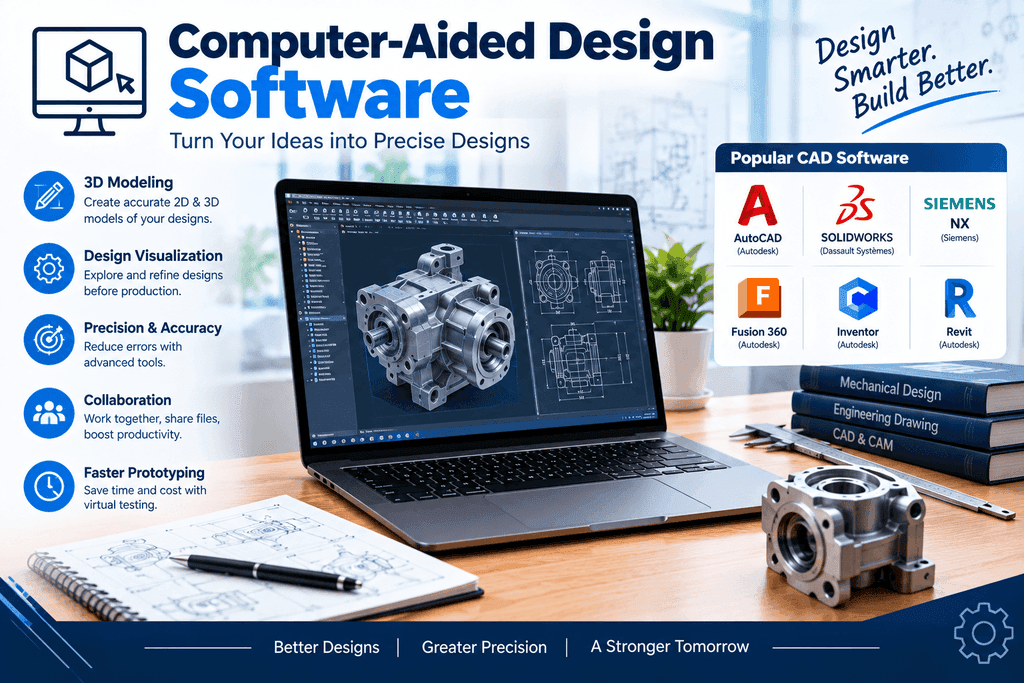
Computer-Aided Design, commonly known as CAD, is one of the most widely used categories of engineering software. CAD programs allow engineers to create accurate two-dimensional drawings and three-dimensional models of products, machines, buildings, components, and systems.
Instead of drawing everything manually, engineers can use CAD software to create precise digital designs. These designs can easily be modified when changes are required. CAD programs also provide tools for dimensions, measurements, assemblies, materials, and technical documentation.
Mechanical engineers frequently use CAD software to design machine components, equipment, and mechanical systems. Civil engineers can use it for technical drawings and infrastructure projects, while electrical engineers may use specialized CAD applications for circuit and system designs.
Popular CAD programs include AutoCAD, SOLIDWORKS, CATIA, and Autodesk Inventor. The appropriate program depends on the engineer’s industry and the complexity of the project.
Engineering Simulation and Analysis Software

Engineering simulation programs help professionals understand how designs and systems will perform under different conditions. These tools can simulate forces, pressure, temperature, vibration, fluid movement, and other physical factors.
Simulation is particularly valuable because engineers can test a digital model before producing a physical prototype. For example, a mechanical engineer can simulate stress on a component to determine whether it can handle a specific load.
Civil and structural engineers can analyze how buildings, bridges, and other structures respond to different forces. Aerospace engineers can study airflow and aerodynamic performance, while chemical engineers can model processes and fluid behavior.
Programs such as ANSYS and COMSOL Multiphysics are examples of software used for advanced engineering analysis and simulation.
Simulation software can reduce development costs and help engineers identify potential problems during the design stage. It also makes it possible to compare different design options before selecting a final solution.
Mathematical and Scientific Computing Programs

Engineering involves mathematics on a daily basis. Engineers work with equations, numerical methods, statistics, matrices, measurements, and mathematical models. Mathematical computing software makes it easier to perform these tasks efficiently.
MATLAB is one of the most well-known tools used for mathematical and scientific computing. It can be used for numerical calculations, data analysis, algorithm development, modeling, visualization, and engineering research.
Engineers can use MATLAB to analyze experimental results, develop control systems, process signals, and create mathematical models. It is commonly used in electrical engineering, mechanical engineering, robotics, aerospace engineering, and other technical fields.
Other mathematical and scientific computing tools can also be useful depending on the project. Learning these programs can help engineering students and professionals handle complex calculations and technical data more effectively.
Building Information Modeling Software

Building Information Modeling, or BIM, is particularly important in civil engineering, construction, and architecture. BIM software allows professionals to create detailed digital models of buildings and infrastructure.
A BIM model can contain much more information than a traditional drawing. It may include details about building components, materials, dimensions, mechanical systems, electrical systems, and other project information.
Programs such as Autodesk Revit are commonly used in BIM workflows. Engineers, architects, contractors, and project managers can work with digital models to coordinate different parts of a construction project.
One important advantage of BIM is the ability to identify potential conflicts before construction begins. For example, a digital model can help teams identify situations where electrical, plumbing, structural, or mechanical systems may interfere with one another.
BIM software can therefore improve project coordination and reduce costly changes during construction.
Computer-Aided Manufacturing Software
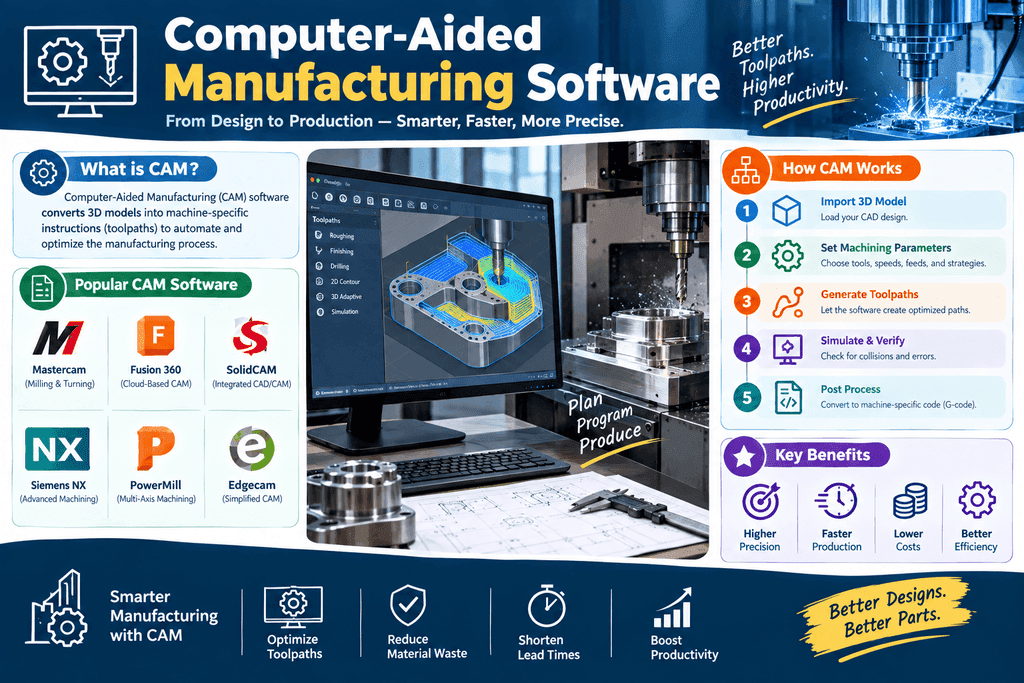
Computer-Aided Manufacturing, or CAM, software helps engineers and manufacturers turn digital designs into physical products. CAM programs can generate manufacturing instructions and toolpaths for computer-controlled machinery.
A common workflow begins with a CAD model. Once the engineer creates the design, CAM software can help prepare the model for machining or manufacturing.
CAM is widely used in mechanical engineering, manufacturing, automotive production, aerospace, and other industries that produce precision components.
Using CAM software can improve manufacturing accuracy and consistency. It can also reduce manual programming requirements and help manufacturers optimize machining operations.
The combination of CAD and CAM creates a connected digital workflow from product design to manufacturing. This approach can save time and make it easier to modify products when design changes are required.
Project Management Software for Engineers

Engineering projects often involve many tasks, deadlines, team members, documents, budgets, and resources. Project management software helps engineering teams organize and monitor these activities.
Engineers and project managers can use project management tools to create schedules, assign tasks, track progress, manage resources, and monitor deadlines. These features are especially useful for large construction, manufacturing, infrastructure, and engineering projects.
Good project management software can also improve communication between different teams. Engineers may need to coordinate with architects, contractors, suppliers, clients, and other professionals. Having project information organized in one system can make collaboration easier.
Some project management programs are designed specifically for construction and engineering, while others are general-purpose tools that can be adapted to technical projects.
When selecting project management software, organizations should consider the size of the team, project complexity, reporting requirements, and collaboration features.
Programming and Data Analysis Tools

Programming has become increasingly important for engineers. Modern engineering projects often involve large datasets, automation, simulations, and repetitive calculations that can be handled efficiently with programming languages.
Python is a popular programming language used across many engineering disciplines. Engineers can use Python for data analysis, automation, scientific computing, visualization, machine learning, and custom engineering applications.
For example, an engineer may write a Python script to process thousands of measurements automatically instead of calculating each value manually. Programming can also be used to create custom tools that work with existing engineering software.
Microsoft Excel is another commonly used tool for engineering calculations and data analysis. Engineers can use spreadsheets for calculations, charts, tables, estimates, and project tracking.
Learning programming and data analysis can give engineers greater flexibility and allow them to automate repetitive tasks while working with large amounts of technical information.
How to Choose the Right Computer Program for Engineering

Choosing the right engineering software depends on the specific requirements of the user and the project. There is no single program that is suitable for every engineering discipline.
The first factor to consider is the field of engineering. Mechanical engineers may need CAD, simulation, and manufacturing software, while civil engineers may require structural analysis and BIM tools. Electrical engineers may need circuit design and simulation programs.
The next consideration is the complexity of the project. Basic projects may only require simple design and calculation tools, while large professional projects may require advanced simulation, collaboration, and data management features.
Ease of use is also important. Software with a complicated interface may require extensive training. Organizations should consider the availability of tutorials, documentation, training courses, and technical support.
Cost should also be evaluated. Professional engineering software can sometimes require significant investment. Businesses should compare licensing costs with the features and productivity benefits the software provides.
Finally, compatibility should be considered. Engineering teams often use several programs together, so the ability to import and export common file formats can be important.
Benefits of Computer Programs for Engineers

Computer programs offer numerous benefits to engineers. One of the most important is improved accuracy. Digital tools can perform precise calculations and help reduce errors associated with manual work.
Another major benefit is productivity. Engineers can complete calculations, modify designs, analyze data, and generate technical documents more quickly with specialized software.
Computer programs also make testing easier. Engineers can use simulations to evaluate different designs without creating a physical prototype for every option. This can save both time and resources.
Digital tools also support collaboration. Teams working on complex projects can share designs, data, documents, and project information more efficiently.
Another benefit is automation. Engineers can use programming and specialized software to automate repetitive calculations and processes. This allows professionals to focus more attention on problem-solving and innovation.
Conclusion
Computer programs for engineers have become essential tools in modern engineering. CAD software helps professionals create accurate designs, simulation programs allow them to test performance, and mathematical tools support complex calculations and technical analysis.
BIM software is valuable for construction and infrastructure projects, while CAM connects digital designs with manufacturing processes. Project management applications help teams organize complex projects, and programming tools provide opportunities for automation and data analysis.
The best computer program depends on the engineering discipline, project requirements, budget, and user’s experience. Engineering students and professionals can benefit from learning software that is directly related to their field.
As technology continues to develop, engineering software will play an even greater role in design, analysis, manufacturing, construction, and research. By choosing the right tools and developing strong digital skills, engineers can work more efficiently and solve increasingly complex technical challenges.
Top 8 Engineering Software FAQs (2026)
Why is mastering modern software tools critical for engineers in 2026?
The engineering landscape in 2026 relies heavily on AI-assisted workflows, real-time cloud collaboration, and multi-physics simulations. Proficiency in industry-standard software directly dictates your efficiency, project delivery speed, and overall marketability to top employers.
Which core categories of tools are included in the Top 25+ list?
The list covers key domains across engineering disciplines:
- CAD & 3D Modeling: SOLIDWORKS, AutoCAD, Revit, PTC Creo
- Simulation & FEA/CFD: ANSYS, COMSOL, SimScale
- Software & Systems Development: VS Code, Cursor AI, Git/GitHub, Docker
- Data & Computational Analysis: Python, MATLAB, Excel
- Project & Lifecycle Management: Jira, Asana, BIM 360
Do I need to learn all 25+ tools to advance my career?
No. Target 3 to 5 core tools tailored to your specific discipline (e.g., one primary CAD tool, one simulation package, Python for data scripting, and a project management tool). Broad awareness of other tools helps with cross-functional teamwork.
Which software tools should Mechanical and Aerospace Engineers prioritize?
Prioritize 3D parametric CAD software like SOLIDWORKS or PTC Creo, paired with ANSYS or SimScale for structural (FEA) and fluid dynamics (CFD) simulation. MATLAB/Simulink remains critical for system modeling and dynamic controls.
How is AI transforming engineering software in 2026?
AI is now natively integrated into major suites—enabling generative design in CAD, automated mesh generation in simulation tools, AI code completion in IDEs (like Cursor), and predictive scheduling in project management systems.
Are there high-quality free or open-source alternatives for practice?
Yes. Excellent open-source options include FreeCAD (3D modeling), OpenFOAM (CFD simulation), CalculiX (FEA), GNU Octave (MATLAB alternative), and VS Code with Python for coding and automation.
Should non-software engineers learn programming languages like Python or C++?
Yes. Python has become essential for almost all engineers due to its simplicity in data analysis, task automation, and scripting within CAD and simulation platforms. C++ remains vital for embedded systems, robotics, and low-level performance design.
How should I showcase my tool proficiency on my resume or LinkedIn?
Focus on quantifiable achievements rather than just listing software names. For example: “Utilized ANSYS to perform CFD analysis, optimizing airflow and reducing drag by 14%” or “Automated data extraction scripts in Python, saving 5 hours of manual analysis per week.”